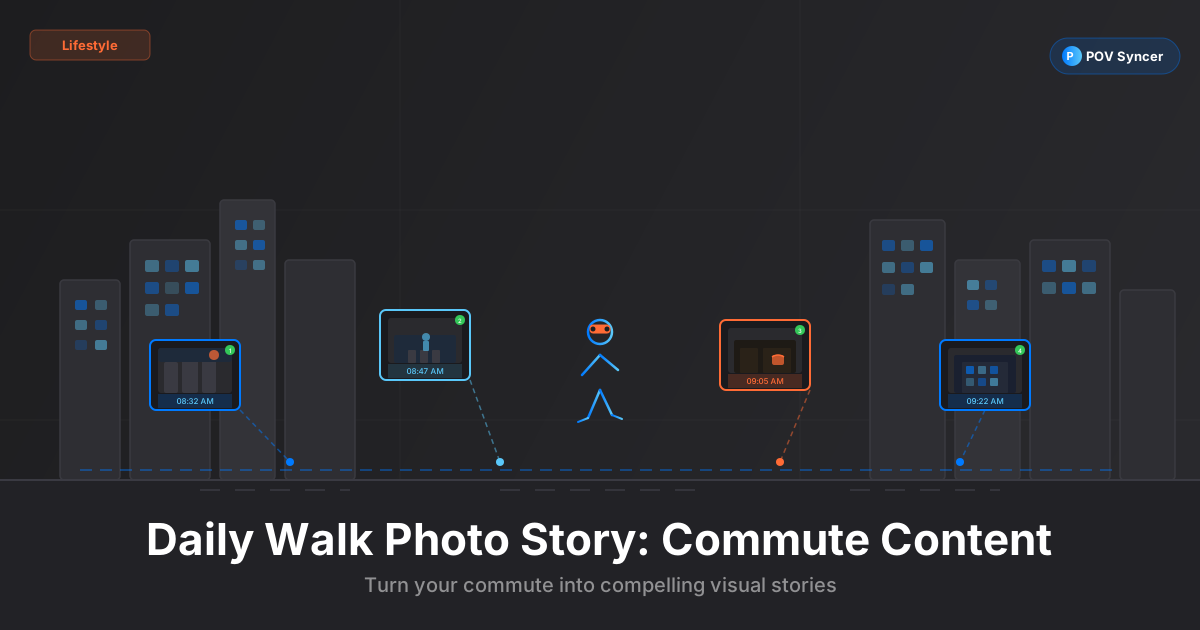
There is a persistent myth in photography content creation that you need dramatic locations, rare light, or expensive gear to build an audience. The photographers building the most consistent followings on TikTok and YouTube Shorts are doing it with the walk between their front door and wherever they are going that morning.
The daily walk vlog as a photography content format has several advantages over elaborate productions. It is repeatable — you can do it every day without planning. It is authentic — the locations and people are real, not curated. And it trains something that studio work does not: the ability to find interesting images in ordinary situations, which is exactly what separates genuinely good photographers from technically proficient ones.
The format also solves one of the hardest problems in photography content: what to post. When you commit to a daily walk photo story, your content schedule writes itself. You walked; you photographed; you synced it with POV Syncer; you posted. That is a repeatable loop that can run for years.
Why the Daily Walk Works as Photography Content
The question most photography content creators struggle with is not quality — it is consistency. Posting once a week requires seven days of motivation to converge on one production day. Posting daily requires a single repeatable habit that generates content without the friction of planning.
The daily walk photo story creates that habit. You are already walking somewhere. Adding Ray-Ban Meta glasses records the journey automatically. Pulling out your iPhone or Ricoh GR IIIx for five to eight deliberate shots during that walk takes two additional minutes. Syncing everything in POV Syncer on your phone after you arrive takes ten minutes. Total additional time investment: twelve minutes per day.
Twelve minutes of daily photography practice, documented and posted, compounds faster than you expect. After 30 days you have a body of work. After 90 days you have an audience that trusts your eye. After a year you have a portfolio that shows consistent creative development — which is something most photographers cannot demonstrate from sporadic, location-dependent shoots.
Get the settings right the first time
Download the free POV Photographer's Cheat Sheet — camera settings, EXIF tips, and export presets for Ray-Ban Meta, GoPro, DJI, and Insta360 on one printable page.
Free PDF, no spam. Unsubscribe anytime.
The Setup: Ray-Ban Meta + iPhone or Ricoh GR IIIx
The daily walk photo story format has a low barrier to entry. You need a POV camera and a stills camera. Here are the two most practical combinations at different levels of commitment.
Option 1: Ray-Ban Meta + iPhone
This is the lowest-friction daily carry possible. The Ray-Ban Meta glasses sit on your face all day. The iPhone is already in your pocket. No extra gear, no camera bag, no lens selection decision. You walk, the glasses record, and when something catches your eye you pull the phone out and shoot.
For iPhone street photography on a daily walk:
- Use the 1x or 2x lens depending on your distance to the subject — avoid the 0.5x ultra-wide for street work unless you are specifically close to a wide architectural subject
- Lock focus and exposure by tapping and holding on your subject — walking scenes change quickly and auto-exposure chases the wrong thing constantly
- Enable ProRAW if you want editing latitude in Lightroom Mobile; if you want the fastest possible daily workflow, HEIF is fine and the EXIF timestamp is equally precise
- Keep your phone in Live Photo mode — POV Syncer reads the EXIF timestamp from Live Photos cleanly, and you get the option to export a short loop clip later
Option 2: Ray-Ban Meta + Ricoh GR IIIx
The Ricoh GR IIIx is a 40mm-equivalent compact that fits in a shirt pocket and produces 26MP APS-C images with a sharp f/2.8 lens. It is the camera that serious street photographers carry when they do not want to carry anything. Combined with Ray-Ban Meta glasses, it is an invisible two-camera daily carry that produces genuinely professional-grade still images alongside the first-person POV video.
Settings for the Ricoh GR IIIx on a daily walk:
- Snap Focus mode: Set a pre-focus distance of 1.5m or 2.5m and shoot from the hip without looking through the screen. The zone focus means shots at your pre-set distance are sharp immediately, no hunting
- Aperture Priority at f/5.6: Gives enough depth of field for snap-focus street work while letting the auto-ISO handle changing daylight conditions
- ISO Auto, max 6400: The GR IIIx sensor handles ISO 3200 cleanly; 6400 is acceptable for social-sized exports
- File format: JPEG Fine: For daily walk content, the JPEG processing from the GR IIIx is excellent and saves you editing time. EXIF timestamps in JPEG are precise to the second
- Clock sync: Set the GR IIIx clock from your phone's time before your first session. Unlike a GoPro, the GR IIIx does not have GPS; its clock drifts slowly and needs a manual reset every few weeks
The 1-Photo-Every-2-Minutes Rule
This is the most useful creative constraint for building a daily photography habit. During your walk, commit to making at least one deliberate photograph every two minutes.
On a twenty-minute commute, that is ten photographs. Not ten good photographs — ten deliberate ones. Some will be reactive: you saw something and grabbed it. Others will be exploratory: you stopped and looked for an image in a place you would normally walk past without pausing.
The 1-photo-every-2-minutes rule does three things. It prevents you from walking the whole route without shooting because you were waiting for something to happen. It trains you to find images in mundane environments rather than waiting for interesting environments to find you. And it generates enough raw material that your edit-down — picking the four or five shots that go into the day's POV Syncer project — is always meaningful.
What to Look for on an Ordinary Street
This is the creative challenge that makes daily walk photography rewarding long-term:
- Light quality, not subject quality: A patch of morning light on an ordinary wall is more interesting than a flat-lit interesting building
- Reflections: Puddles, shop windows, car mirrors — the city reflects itself in hundreds of surfaces that most people ignore
- Human gesture: People waiting at crossings, checking their phones, talking to each other — the 40mm-equivalent on the GR IIIx is a comfortable distance for unobtrusive candid work
- Compression and layers: Zoom or step back to layer foreground and background elements that create depth in a flat scene
- Repeated geometry: Patterns of windows, kerb lines, parked bicycles — the urban environment is full of satisfying repetitive geometry that reads well in still images
The Quick Edit Workflow in POV Syncer
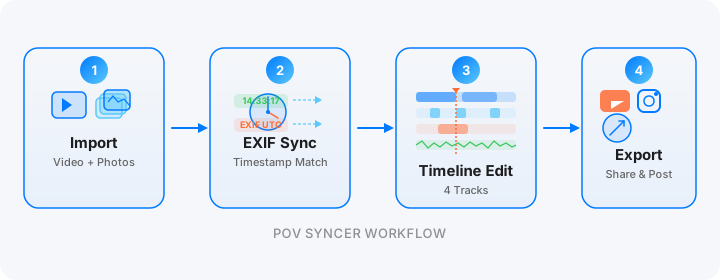
The daily walk format only works as a posting habit if the editing workflow is fast. Here is a ten-minute post-walk workflow that gets from raw footage to posted content:
Minutes 1-2: Transfer and cull. Import the Ray-Ban Meta footage via the Meta View app. Review your stills and select your four to six best frames from the walk.
Minutes 3-5: Import and sync. Open POV Syncer, create a new project, and import both the Meta video and your selected photos. The EXIF matching runs automatically — each photo is placed at the second in the video where you fired the shutter. Review the timeline to confirm placement looks right.
Minutes 6-8: Style and caption. Choose a font and background style that fits the mood of the day's walk — an overcast city morning reads differently than a bright sunny park and your visual treatment should reflect that. Add brief captions to each photo: the location, the light quality, what you were thinking when you shot it. Keep captions to one sentence each. Download POV Syncer free to access the styling tools.
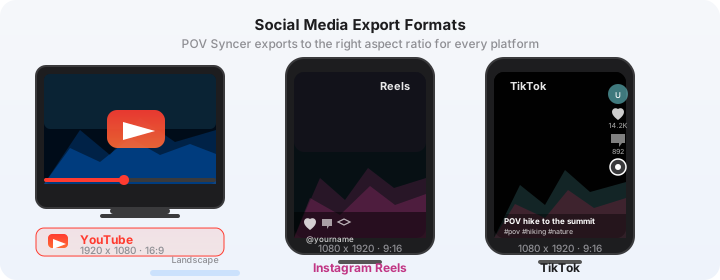
Minutes 9-10: Export and post. Export in portrait 9:16 for TikTok or YouTube Shorts. The export takes under 60 seconds on a current iPhone. Open TikTok or YouTube and post directly from the Camera Roll. Done.
Ten minutes. One habit. One piece of content that lives on the internet and grows your audience while you get on with your day.
Building an Audience with Authentic Daily Content
The photography content that performs best on TikTok and YouTube Shorts is not the most technically impressive — it is the most consistent and the most authentic. Daily walk photography is both.
Why the POV Format Builds Trust
When someone watches your daily walk photo story, they see exactly how you see. The Meta glasses footage shows your eyes moving through the same streets they might walk themselves. When you stop and raise your Ricoh GR IIIx, they understand the decision before they see the result. When the photo appears over the POV footage, the connection between your perspective and the image is immediate.
This is the thing that static gallery posts cannot communicate: the process of seeing. The daily walk POV format makes the creative decision visible, which is what photography audiences are most interested in.
Consistency Beats Perfection
Post every day for two weeks, even on the days where nothing remarkable happened on your walk and your best shot is just okay. The audience you build understands that some days are richer than others. What they follow is the consistency of your attention and the evolution of your eye over time.
A mediocre shot that shows genuine looking is more interesting to a photography audience than a technically perfect shot that reveals no process. The daily walk format — POV footage showing the environment, your photos appearing at the moment they were taken — gives every image context that makes it more interesting than it would be in isolation.
Commenting on Your Own Work
Use POV Syncer's AI narration to add a brief reflection on one or two shots from each walk. Not technical analysis — genuine observation. "I've walked past this corner fifty times and never noticed this shadow until this morning." That kind of narration is what people screenshot and share. It turns a photography video into something that people feel something watching, which is what builds a lasting audience.
Camera Settings Summary for Daily Walk Photography
Here is a quick reference you can revisit before each session:
Ray-Ban Meta: Record in 1080p at 30fps. Keep the Meta View app connected on your phone so recordings are timestamped correctly. Charge the night before — the glasses record for approximately 30 minutes continuously and your walk should fit comfortably within that.
iPhone: Camera app, 1x or 2x lens, tap-to-focus with exposure lock, HEIF format. Keep Location Services on — the GPS data in the EXIF makes POV Syncer's 4-strategy matching more accurate.
Ricoh GR IIIx: Snap Focus at 1.5m or 2.5m, Aperture Priority f/5.6, Auto ISO max 6400, JPEG Fine. Verify the clock once a week against your phone.
Start your daily walk photo story today
Download POV Syncer free and sync your first commute in ten minutes.
Download on App Store — FreeWhat the Finished Video Looks Like
Here is a representative output from a twenty-minute morning walk through a city neighbourhood.
The video opens portrait format at 9:16. The Meta glasses footage shows a pavement from eye level, soft morning light, the sound of the city waking up — traffic, coffee shop doors, a bus. The pacing is walking-speed, which feels natural and unhurried.
At the first still photo, the GR IIIx image appears over the walking footage: a silhouetted commuter framed by the gap between two buildings, the sun low and orange behind them. The caption reads: "7:23am, looking east on the way to the tube." Two seconds, then the walk continues.
This pattern repeats four more times. Each photo marks a moment from the journey, placed exactly where it was taken in the POV footage. The final still holds with the date and a simple title card. Total runtime: 90 seconds.
It is a small piece of content. It takes twelve minutes to produce. Posted daily for a month, it becomes something much larger: a visual diary of a city and a photographer learning to see it more clearly.
Pro subscription ($9.99/month or $99.99/year) unlocks all 15 fonts, 10 background styles, AI narration — everything you need for a daily posting habit that looks professional. See what Pro includes.
Related posts: food photography behind the scenes and architecture photography POV.