Travel Photographers: Field to Feed Workflow with POV
The gap between "I shot something great this morning" and "that content is live and gaining engagement" is where most travel photographers lose their audience-building momentum. They return from a dawn session with images that need culling, selects that need editing, a POV Reel that needs assembling, and a caption that needs writing — and by the time all of that is done, it is afternoon and the window of peak engagement for morning content has closed. The photographers who build large travel photography followings quickly are not necessarily better photographers than the ones who do not. They have a faster field-to-feed workflow.
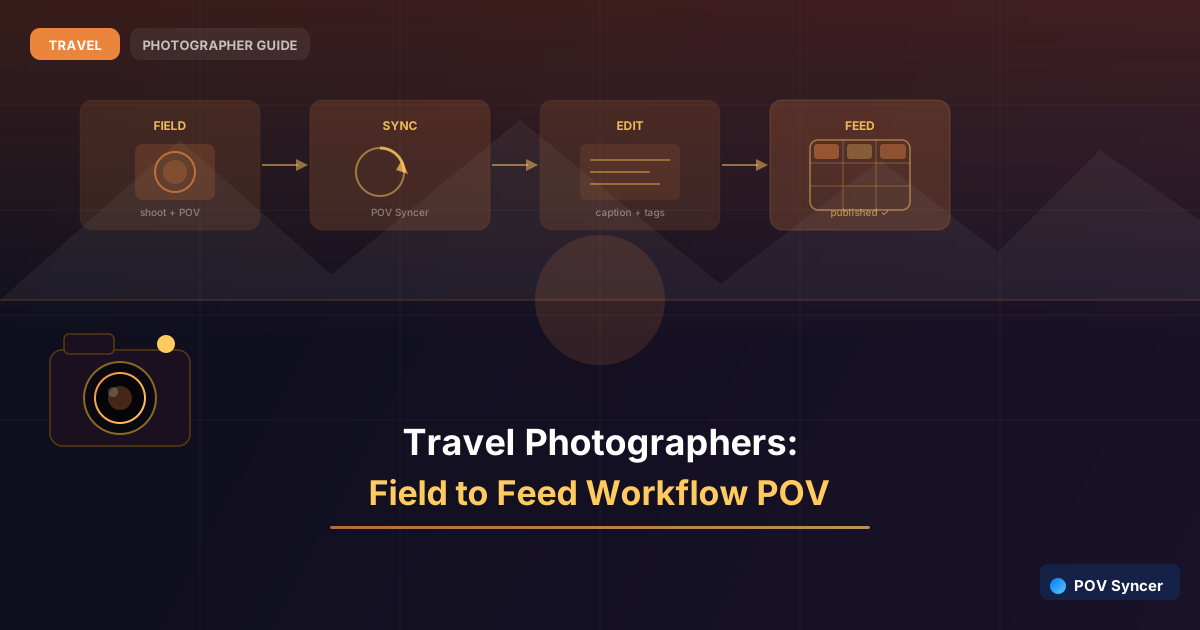
This post is a step-by-step walkthrough of the complete field-to-feed workflow for a travel photographer using POV Syncer with Ray-Ban Meta glasses. From waking up before dawn to having a Reel posted with a caption, including time to eat breakfast, in under an hour. No manual timeline scrubbing. No multi-hour editing sessions. Just a repeatable process that produces consistent daily content from any location in the world.
Before the Shoot: Five Minutes of Preparation
The field-to-feed workflow starts the night before. Draft your caption template in Notes on your iPhone: location name, one sentence about what you are planning to shoot, and a placeholder for what you actually captured. This takes two minutes. When you return from the shoot you add one sentence about the specific moment you got, and the caption is done. Hashtag sets can be saved as text snippets in your phone's keyboard shortcuts — one abbreviation expands to your full travel photography hashtag set, saving another two minutes every post.
Set your camera clock against your phone before going to sleep. If you are crossing a timezone during the trip, update it that evening rather than discovering the discrepancy after you have already shot. A camera whose clock matches the time recorded by the Ray-Ban Meta glasses is the foundation of accurate EXIF sync — without it, your images will appear at the wrong points in the video and the manual correction takes longer than the original editing would have.
During the Shoot: Capture Without Thinking About Editing
Put the Ray-Ban Meta glasses on before you leave the hotel room. The footage that begins in the lobby, moves through the pre-dawn streets, and arrives at the location as light begins to change is the establishing context that makes the final video feel like a complete story rather than just a photography session. Do not start and stop the recording — let it run continuously and let POV Syncer select the relevant frames when you import.
Shoot your stills as you normally would. The EXIF sync does not require any modification to your shooting technique — every frame your camera captures is timestamped automatically. If you shoot in burst mode, POV Syncer will match each frame in the burst to its corresponding video moment. You select which frames you want to include in the Reel during the import step; the rest are available in your archive without appearing in the video.
For camera settings on a typical travel dawn shoot: Fujifilm X100VI at ISO 1600–3200, f/2.8–f/4, shutter at 1/125s minimum to handle any subject movement. The X100VI's film simulations mean your mobile selects look close to finished with minimal editing — Classic Chrome or Eterna for street work, Velvia for landscapes when colour saturation is the story. The less post-processing your selects require, the faster the field-to-feed workflow becomes.
Get the free POV Photography Cheat Sheet
Complete field-to-feed workflow guide, travel photography POV settings, and daily Reel checklist — one printable page.
Free PDF, no spam. Unsubscribe anytime.
After the Shoot: The Fifteen-Minute Assembly
Return to the hotel or a nearby cafe with Wi-Fi. Transfer your selects from camera to iPhone — either via a Lightning/USB-C card reader or the camera's built-in wireless transfer. The Ray-Ban app automatically syncs the glasses footage to your phone when both are connected to the same Wi-Fi network. By the time your coffee arrives, both the footage and the stills are on your phone.
Open POV Syncer. Create a new project — name it with the location and date. Import the glasses footage from the camera roll. Import your selects — five to fifteen images from the session is usually the right quantity for a sixty-to-ninety second Reel. The EXIF matching runs automatically: every image finds its corresponding frame in the footage in seconds. No scrubbing, no manual placement, no approximation.
Review the assembled timeline. Trim the beginning to remove the hotel lobby approach if it runs long. Let the location arrival and the photography section breathe. Trim the end after the final image appears. Add a title card with the location name using one of the fifteen built-in fonts. Select a music track — something ambient and unobtrusive that does not compete with the visual content. Export in 9:16 vertical format for Instagram Reels. Total time for the assembly step: twelve to fifteen minutes.
Publishing: Caption, Tags, and Timing
Open the caption template you drafted the night before. Add the one sentence about what you actually captured this morning — the specific light quality, the unexpected encounter, the compositional decision that produced the best frame. Expand your hashtag shortcut. Tag the location. If you are shooting gear that you have a relationship with (or are building toward), tag the brand. Post.
The entire field-to-feed process — from returning from the shoot to posting — takes thirty to forty-five minutes when the workflow is established. On the first few attempts it may take longer as you learn the import and trim steps. By day three of a trip it becomes automatic, and by the end of a two-week trip it is as much part of the morning routine as eating breakfast.
What Consistent Daily Posting Actually Does to Your Following
The compounding effect of daily travel content is difficult to predict in advance and surprising in retrospect. A photographer who posts once every three days during a trip reaches their existing audience occasionally. A photographer who posts every day reaches their existing audience consistently and creates multiple opportunities for algorithmic discovery by new audiences. The engagement from day one's post brings new followers who then see days two through fourteen. The audience that arrives on day seven has a full week of content to explore. Each new follower finds a rich feed rather than a sparse one.
The POV BTS content specifically attracts followers who are interested in the process of travel photography, not just the results. These followers are more engaged, more likely to save your posts for reference, and more likely to follow you beyond the trip because they are following you as a photographer, not just as a source of beautiful location images. That engaged, process-focused following is the audience that converts to print sales, workshop bookings, and sponsorship relationships — all of the revenue streams that make travel photography sustainable as a business rather than an expensive hobby.
Field to Feed in Under an Hour — Every Day
POV Syncer syncs your travel shots to POV footage via EXIF timestamps. Fifteen-minute assembly. Daily Reels from any location in the world.
Download POV Syncer FreeAvailable on iOS. Free to download — full timeline editor included.
Related Guides for Travel Photographers
- Travel Photographers: Turn a 2-Week Trip Into 14 Daily Reels
- Solo Travel Photography: The POV Format Sponsorships Are Looking For
- Adventure Travel POV: Action Cam Footage That Builds Your Portfolio
Want Settings Cheat Sheets for 20+ Camera Combos?
Join 1,000+ photographers getting weekly POV workflow tips, camera-specific guides, and EXIF sync settings delivered to your inbox.
Free, no spam. Unsubscribe anytime.